
Did you know that 43% of all cyberattacks target small businesses? It’s a startling number that makes a proactive website maintenance plan for small business a necessity rather than a luxury. Since we started building the web in 1996, we’ve seen how a “set it and forget it” attitude can turn a thriving storefront into a digital liability overnight.
We’ve all been there. You click “update” on a minor plugin and suddenly your entire layout looks like a broken jigsaw puzzle. It’s exhausting to juggle security patches while trying to actually run a company. You deserve to know your site is backed up and humming along without having to learn code or pay for hidden “technical” fees that nobody can explain.
This guide will help you protect your digital storefront and pick a plan that keeps your site fast and secure. We’ll walk through the technical essentials, from handling WordPress 7.0.1 updates to optimizing for the 64% of users who browse on mobile devices. You’ll leave with a clear roadmap to keep your site profitable and your stress levels low.
Key Takeaways
- Stop treating your site like a static brochure and learn how “invisible rot” from outdated plugins creates massive security holes.
- Master the three essential pillars of a website maintenance plan for small business to boost loading speeds and block hackers.
- Calculate the “hidden tax” of DIY maintenance to see if you’re actually saving money or just wasting your most valuable hours.
- Learn the one critical question to ask about backup protocols that separates strategic partners from silent vendors.
The “Set It and Forget It” Trap: Why Websites Break
Think of your website like a car. If you buy a brand new truck and never change the oil or rotate the tires, it’s eventually going to leave you stranded on the side of the highway. A brochure is just paper; it sits in a drawer and stays the same. A website is a complex machine made of moving parts, third-party code, and shifting security protocols. Ignoring a website maintenance plan for small business is the digital equivalent of driving with the “Check Engine” light taped over.
Most business owners suffer from “Invisible Rot.” This happens when plugins and themes are left to sit for months without updates. These components are often built by different developers who don’t always coordinate. When one piece of code evolves and another stays stagnant, they stop talking to each other. This friction causes slow load times, broken forms, and eventually, a total site collapse. Fixing a crashed site on a Friday night is always nine times more expensive than preventing the crash in the first place.
Software Doesn’t Stay Fresh
Modern platforms like WordPress are constantly evolving. For example, the release of WordPress 7.0.1 in July 2026 brought critical fixes, but it also changed how certain databases interact. If you rely on “auto-updates,” you’re playing a risky game. We’ve seen a five-minute automated plugin update completely wipe out a checkout page because it conflicted with an older shipping calculator. For an e-commerce brand, that’s not just a glitch; it’s a total loss of daily revenue. Professional Website governance ensures that every update is tested in a safe environment before it goes live on your actual storefront.
The Security Myth for Small Brands
We often hear clients say, “I’m too small for a hacker to care about me.” This is a dangerous misunderstanding of how the modern web works. Hackers don’t sit at desks hand-picking targets. They use botnets. These are automated scripts that scan millions of sites per hour looking for one specific, unpatched vulnerability.
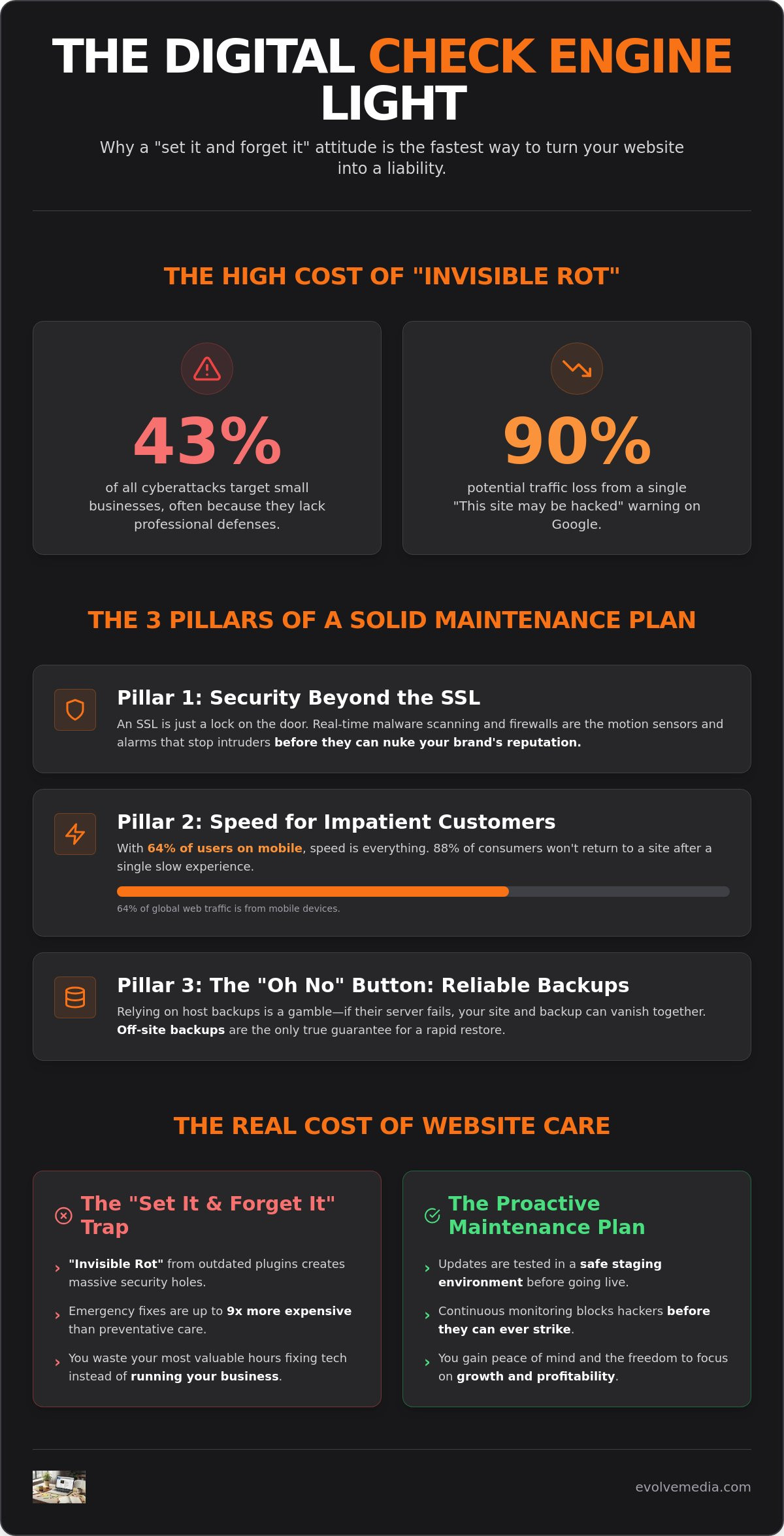
- 43% of cyberattacks now target small businesses specifically because they often lack defenses.
- A “This site may be hacked” warning on Google search results can kill your traffic by 90% in a single afternoon.
- Botnets want your server power to send spam or mine crypto; they don’t care about your bank balance.
Since we started building digital assets in 1996, we’ve learned that security isn’t a one-time setup. It’s a continuous process of closing doors before someone tries to walk through them. If you’re ready to stop worrying about the “Check Engine” light, it might be time to reach out to our team for a strategy that actually sticks.
The 3 Pillars of a Solid Small Business Maintenance Plan
A reliable website maintenance plan for small business is more than a checklist; it is a structural support system for your revenue. While many automated services focus solely on “uptime,” we look at the health of your digital asset from every angle. If you want to keep your customers happy and your data safe, you need a strategy that covers security, speed, and disaster recovery.
Security Beyond the SSL Certificate
Having an SSL certificate is like having a lock on your front door. It’s a necessary start, but it won’t stop a professional intruder who climbs through a window. Real-time malware scanning and firewalls act as your motion sensors and alarms. Without them, you might not realize your site has been compromised until your customers start receiving spam emails from your domain. This kind of breach doesn’t just break your code; it nukes your brand’s reputation in a single afternoon.
Speed Optimization for Impatient Customers
Mobile devices account for approximately 64% of global web traffic in 2026. These users are often on the go and have zero patience for a spinning loading icon. Research shows that 88% of consumers won’t return to a site after a single technical issue or a slow experience. Keeping things snappy requires regular database cleaning and performance tuning. This is especially true for custom online applications where complex scripts can bog down your server if they aren’t properly managed by an expert eye.
The “Oh No” Button: Reliable Backups
Don’t assume your hosting company has your back. Many hosts store backups on the same server as your website. If that server fails, both your site and your backup vanish instantly. Off-site backups are the only way to truly protect against server failure. We focus on creating “restore points” rather than just simple files. This means if a plugin update goes sideways, we can roll the site back to a working state in minutes.
Keeping your storefront accurate is the final piece of the puzzle. Whether it’s updating seasonal hours or refreshing price lists, your content needs to be as current as your code. If you’re tired of playing tech support for your own company, you can chat with us about a managed plan that handles the heavy lifting for you.
DIY vs. Managed Plans: Finding Your Sweet Spot
Deciding how to handle your website maintenance plan for small business usually comes down to one simple question: how much is your time worth? You can certainly try to manage the tech yourself. However, you have to account for the “hidden tax” that comes with every manual update. If you’re spending your Sunday afternoon troubleshooting a white screen of death, you aren’t growing your company.
Even the most aggressive small business seo services will fail if the underlying site is unstable. Google simply won’t rank a site that frequently crashes or has unpatched security holes.
The DIY Reality Check
To do this right on your own, you’ll need to pay for individual tools that pros usually include in their service. Think about the monthly costs for these essentials:
- Remote backup storage to keep your data off the web server.
- Premium security firewalls that block brute-force attacks.
- Staging environment licenses so you don’t test updates on your live site.
We’ve seen owners save $50 a month on a plan only to lose $500 in billable time chasing a CSS glitch through a Google search rabbit hole. If you spend four hours trying to fix a header alignment that a developer could resolve in five minutes, you’re actually losing money. DIY is often a trade-off where you sacrifice your highest-value hours for low-level tech support.
What to Expect in a Managed Plan
A managed plan isn’t just an automated app running in the background. It’s a partnership with a team that has seen the web evolve since the dial-up days. When you look at our history since 1996, you see a commitment to long-term stability that a $10 automated plugin just can’t match.
You should receive regular reporting that shows exactly what was updated, which threats were blocked, and how your speed metrics are performing. This transparency ensures you know exactly what you’re paying for every month. We use human-backed uptime monitoring. If your site goes down, a real person gets an alert and starts the recovery process before you even finish your morning coffee.
If you’re ready to stop playing tech support and start focusing on your customers, let’s talk about a plan that fits your specific needs.
How to Spot a Maintenance Partner That Actually Cares
Choosing the right partner for your website maintenance plan for small business is about more than just checking boxes on a technical list. Many providers act as “silent vendors.” They run their automated scripts, collect their fee, and you never hear from them until something breaks. A strategic advisor is different. They look at your site as a growth engine rather than a static expense. If your seo marketing agency is driving traffic to a page that takes four seconds to load, a true partner will spot that bottleneck and fix it before you even have to ask.
You also need to know what happens when things go wrong on a Saturday. Small businesses don’t have the luxury of waiting for a support ticket queue that only opens on Monday morning. Ask potential partners about their backup testing protocol. It is not enough to just “have a backup.” A backup is just a useless file until it is proven to work. We have seen businesses lose years of data because their backup file was corrupted for months and nobody ever tried a test restore.
Questions to Grill a Potential Agency
Don’t be afraid to get specific. If an agency gives you vague answers, they are likely just reselling a basic automated service. Use these questions to find a team that actually has your back:
- “Do you test updates on a staging site first?” Never let a developer “test” a major update on your live storefront.
- “What is your specific plan if my site gets hacked?” You need a recovery timeline, not just a promise to “look into it.”
- “Will I get a monthly report that actually makes sense?” You should see exactly which threats were blocked and how your speed improved.
The Evolve Media Philosophy
We’ve been doing this since 1996. That is three decades of seeing every tech trend, security threat, and platform shift the web has to offer. When you look at our history and team, you see a partner that values long-term stability over quick wins. We focus on the “Why” behind every update. We make sure your site supports your actual business goals, whether that is streamlining a checkout process or protecting sensitive customer data.
Your website is your most valuable digital asset. It deserves more than a “set it and forget it” approach. If you are ready for a partner who takes your security as seriously as you do, reach out to us today for a no-pressure site health check. We will show you exactly where your site stands and how to keep it running at peak performance.
Stop Reacting and Start Growing
Your website is too important to be left to chance or automated “auto-updates” that might break your checkout page. We’ve seen how a single unpatched vulnerability can turn a thriving business into a security warning on Google in a single afternoon. By focusing on off-site backups, proactive speed optimization, and actual human uptime monitoring, you turn your site from a liability into a reliable asset.
Choosing a website maintenance plan for small business is about reclaiming your time. You didn’t start your company to become a part-time tech support specialist. Since 1996, we’ve helped brands stay fast and secure through every major shift in digital history. We don’t just “have a backup”; we make sure it actually works so you can sleep through the night.
It’s time to stop worrying about what might break on a Saturday morning. Get a Professional Website Health Check from Evolve Media to see exactly where your site stands. Let’s build a foundation that supports your growth for the long haul.
Common Questions About Website Maintenance
Is a website maintenance plan really necessary for a small site?
Yes, because hackers don’t hand-pick their targets based on company size. They use automated bots to scan millions of sites for known vulnerabilities. Even a simple three-page site can be hijacked to send spam or host malicious files. A plan acts as your digital insurance, protecting you from the 43% of cyberattacks that specifically target smaller brands.
How much should I expect to pay for a small business maintenance plan?
Costs vary based on the complexity of your site and the level of human oversight you need. A basic automated service is cheaper but often misses the nuances that a human expert would catch. You are essentially paying for the time and expertise of a team that tests updates on a staging site before they touch your live storefront.
What happens if I don’t update my WordPress plugins?
Your site becomes a major security risk and will eventually break. Outdated plugins are the most common entry point for malware infections. Beyond security, old code won’t stay compatible with newer versions of WordPress, like the 7.0.1 release from July 2026. This leads to “software rot” where your forms stop working or your entire layout collapses.
Can my web hosting company handle the maintenance for me?
Most hosting companies only focus on keeping the server running. They are like a landlord who maintains the building but doesn’t fix the computer inside your office. They won’t update your plugins, optimize your database, or fix a broken checkout page. You still need a dedicated partner to handle the actual website code and performance tuning.
How often should I receive reports on my website’s health?
You should receive a clear, readable report every month. This report should show you which updates were performed, how many security threats were blocked, and whether your loading speeds are meeting customer expectations. It is your proof that the work is being done and that your digital asset is actually being protected.
What is the difference between web hosting and website maintenance?
Hosting is the rented space where your website files live. A website maintenance plan for small business is the active service that keeps those files updated and secure. Think of hosting as the plot of land and maintenance as the professional crew that keeps the house on that land clean, safe, and functional for your guests.